releases
BitSpeed Transfer 0.5 Sends Whole Folders and Several Chunks at Once
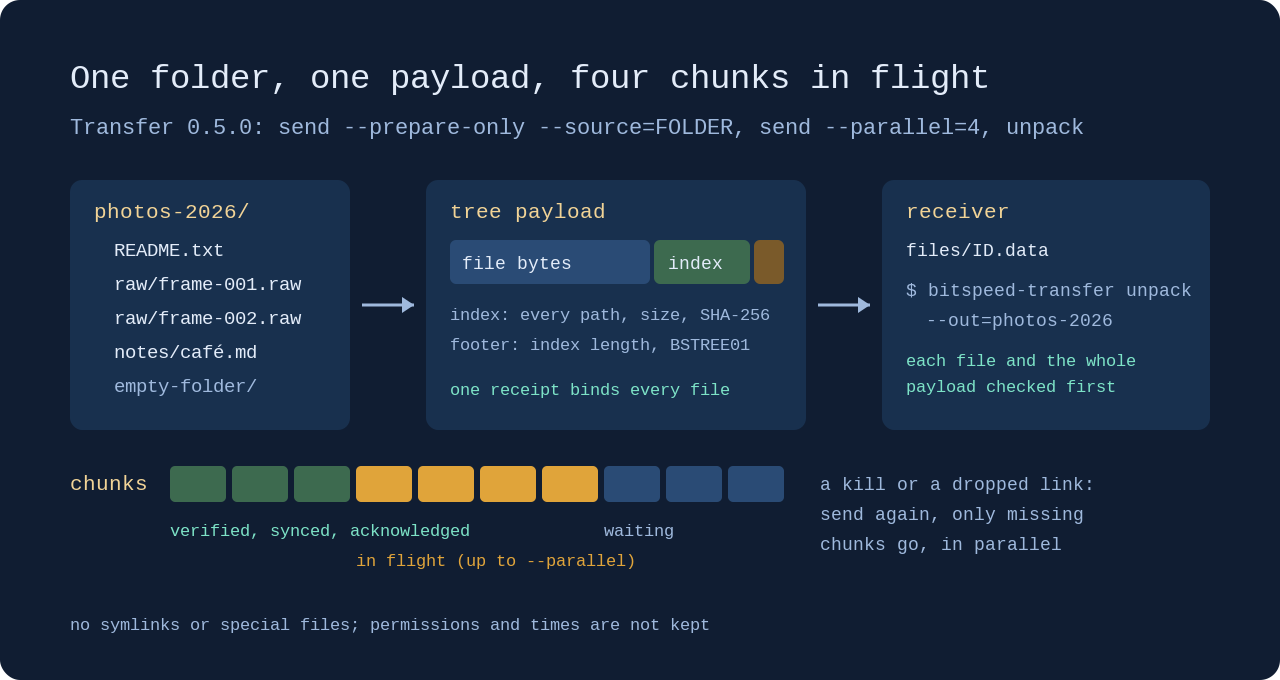
Until now Transfer moved exactly one file, and it sent that file one chunk at a time. Both were deliberate. One file kept the recovery rules small enough to test …
releases
Until now Transfer moved exactly one file, and it sent that file one chunk at a time. Both were deliberate. One file kept the recovery rules small enough to test …
releases
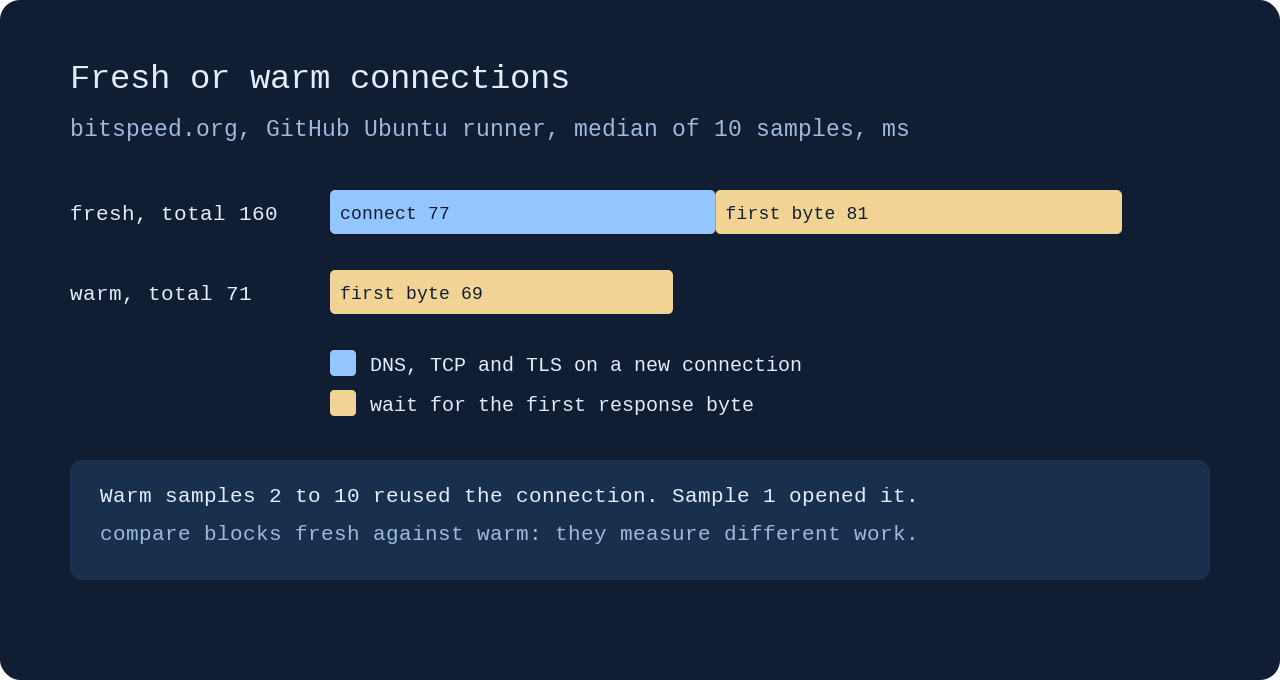
Until now Inspect only sent GET requests, each on a brand new connection. That’s the right default for comparisons, because every sample does the same work. It …
releases
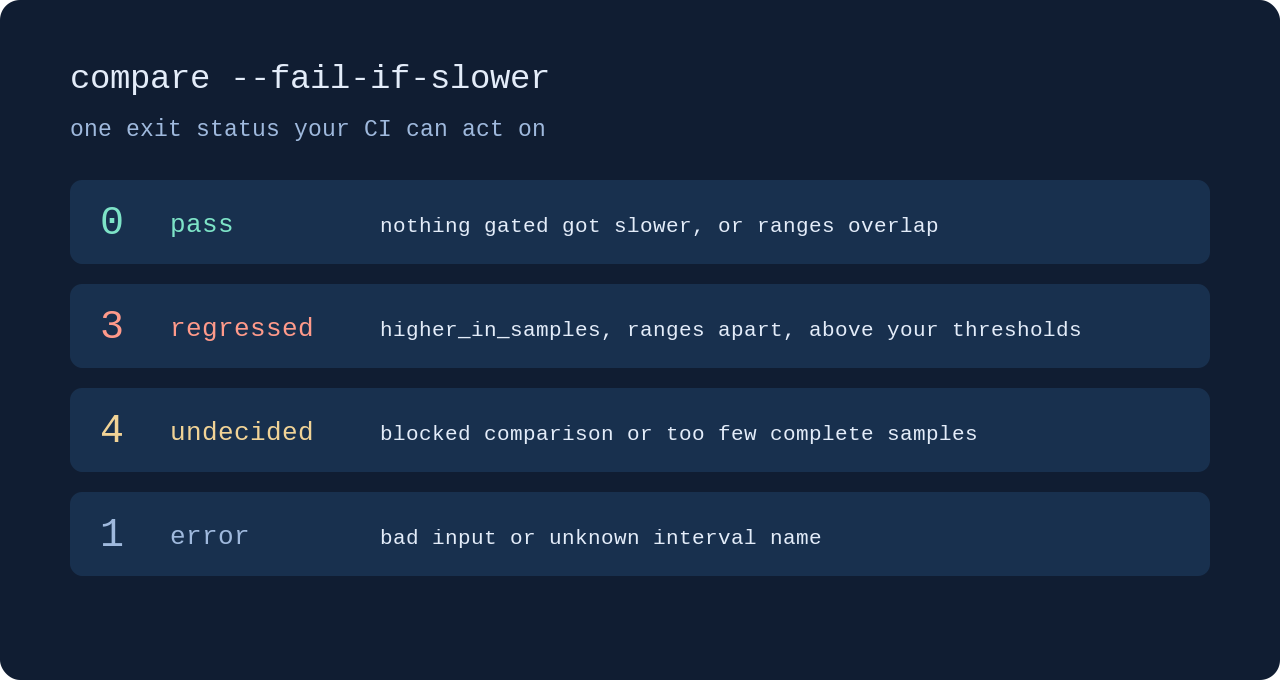
A comparison you read once is useful. A comparison that runs on every pull request and stops the merge when something got slower is more useful. Inspect 0.2.0 adds that: …
case studies
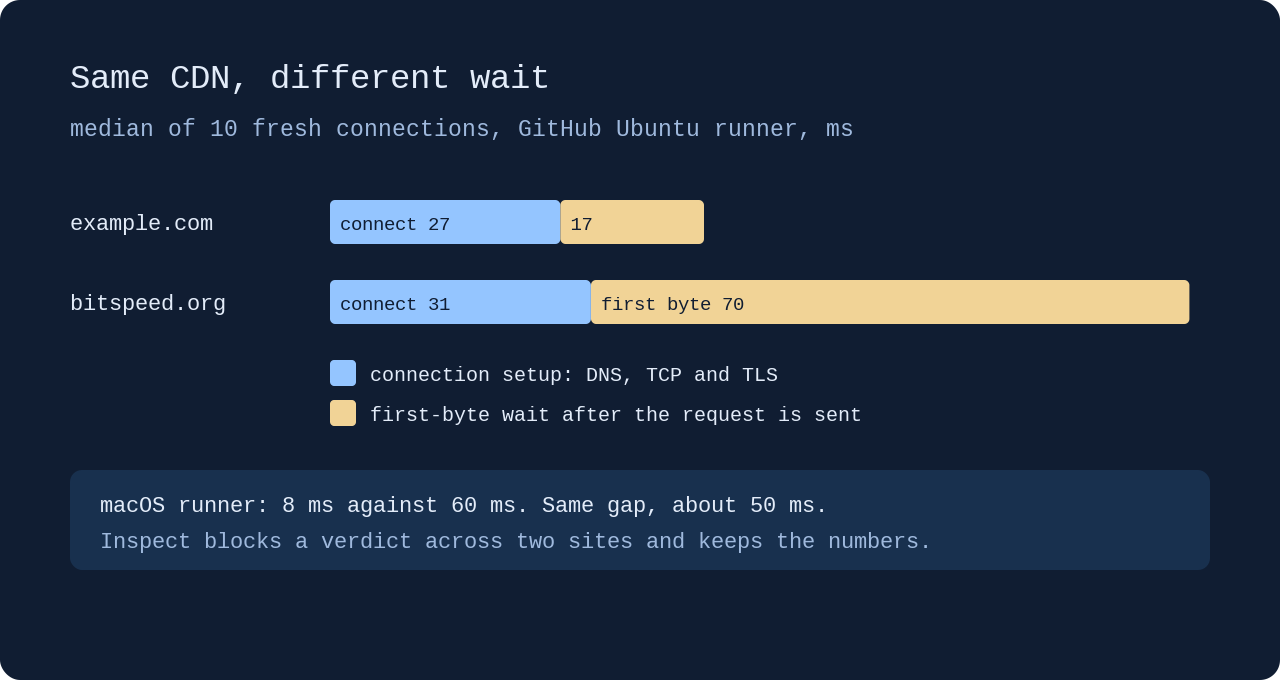
The first Inspect case study used a local test server, which is tidy but a little too easy. So we pointed the released binary at real sites on the public internet, …
releases
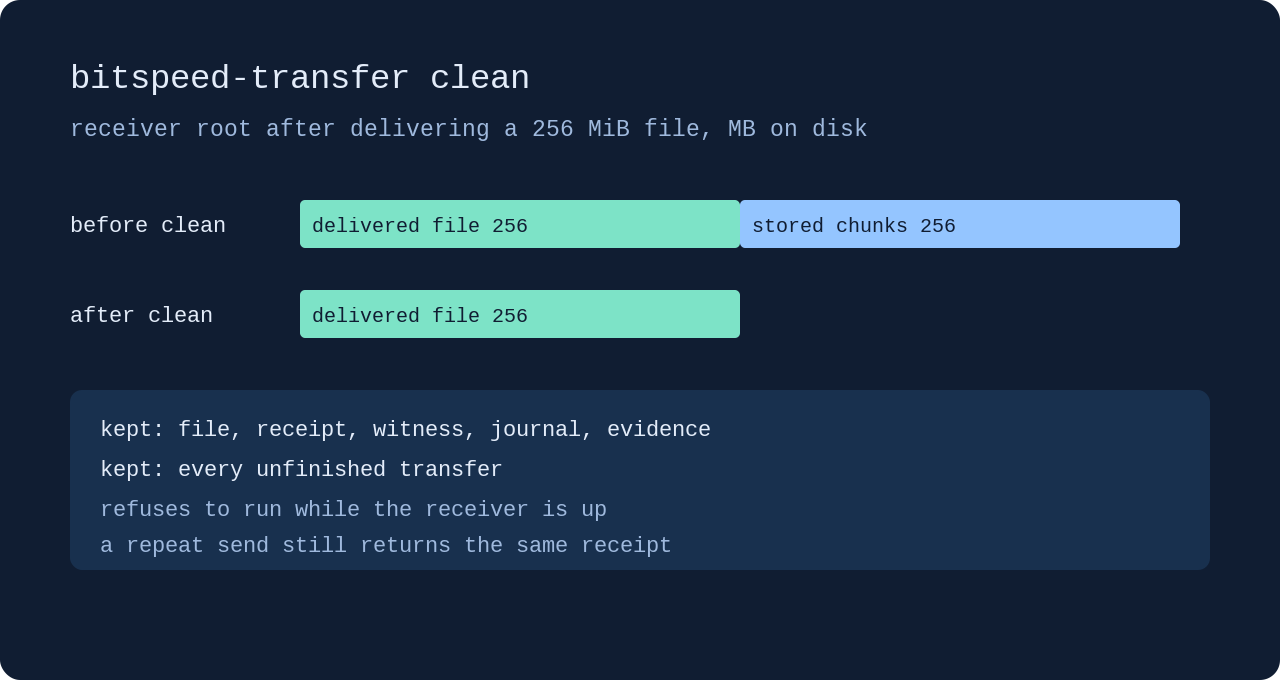
Transfer keeps everything by default. That’s deliberate. Stored chunks are what let a receiver prove its progress after a crash. Once a file is delivered, though, …
releases
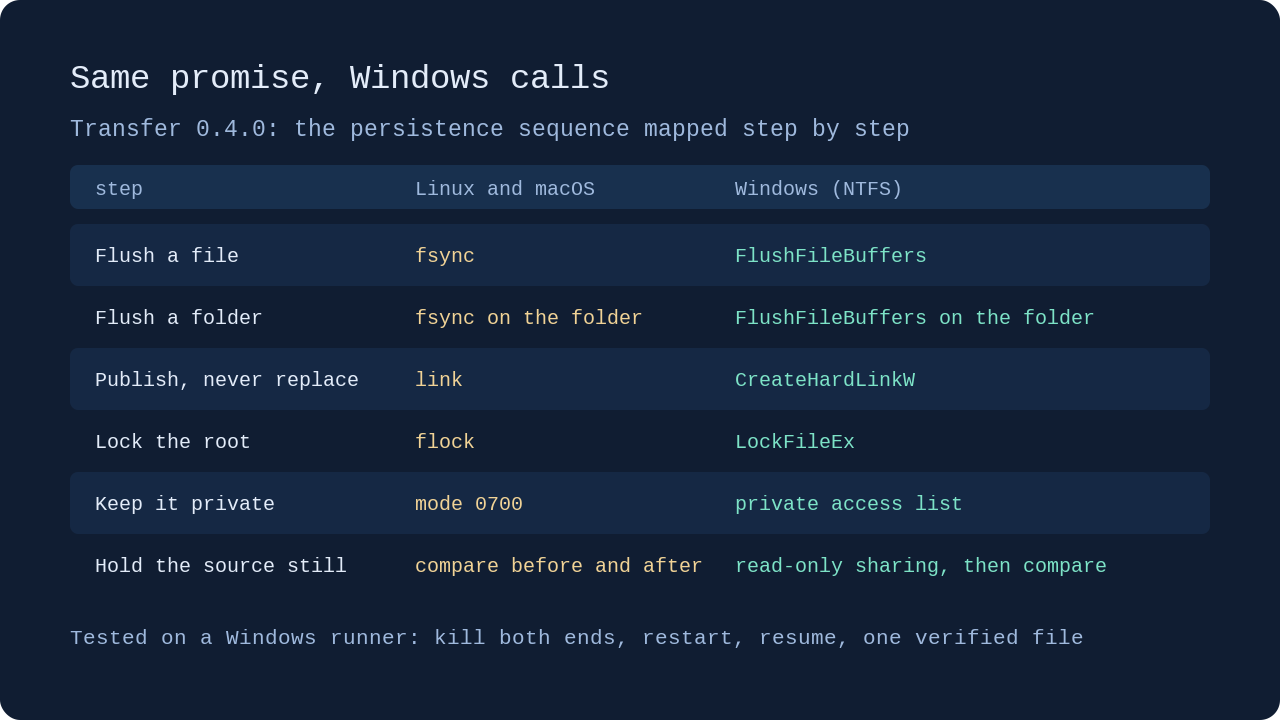
Until now the Windows archive of Transfer could print its version and politely refuse everything else. Transfer 0.4.0 changes that. Prepare, send, status, serve and clean …
releases
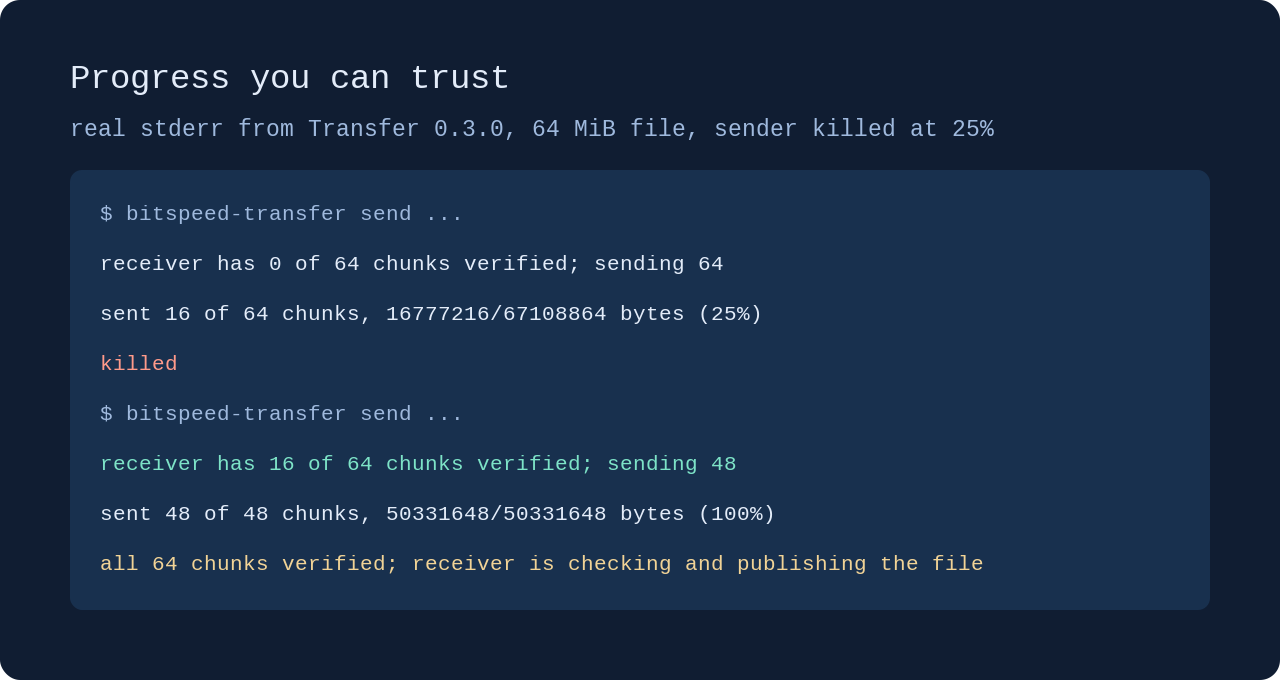
Until now, bitspeed-transfer send was quiet until it finished. On a big file over a slow link that’s a long time to stare at a cursor. Transfer 0.3.0 prints …
case studies
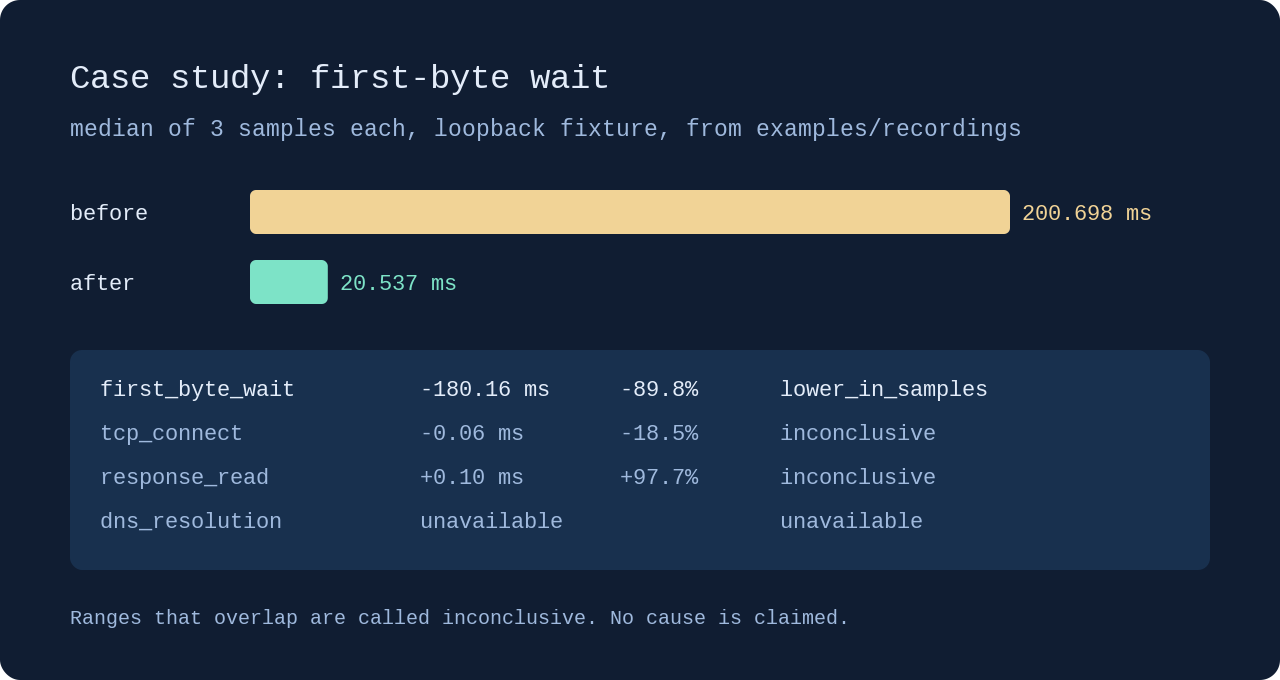
Here’s the situation. A request feels slow. Someone changes something, and it feels faster. Was it the connection, the server’s first response, or reading the …
releases
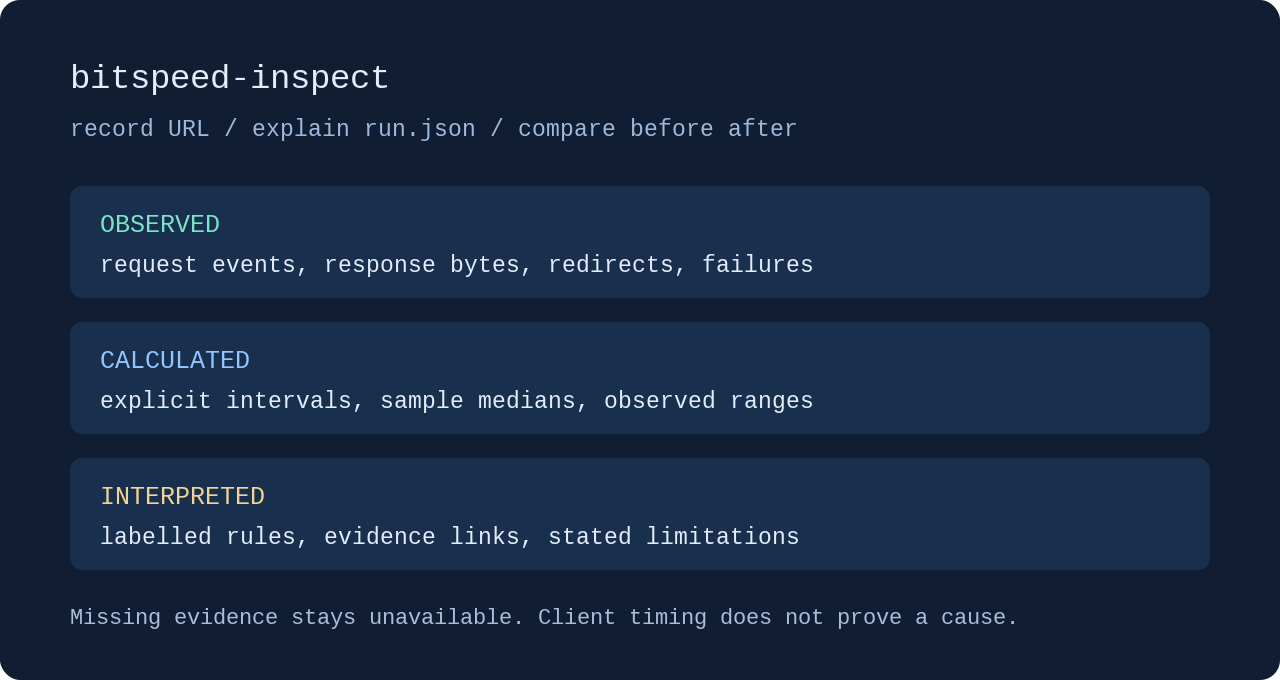
A slow request gives you a duration. The next question is where that duration came from, and whether the same interval changed after you adjusted something. BitSpeed …
comparisons
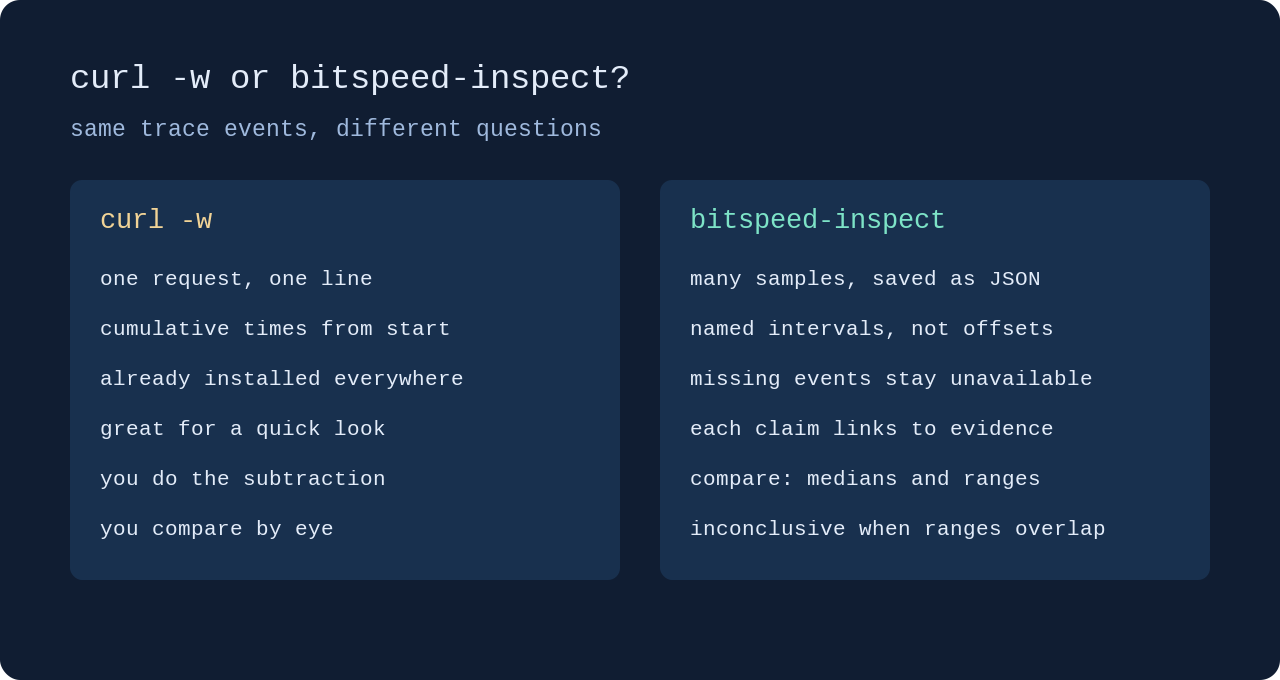
If you’ve ever debugged a slow endpoint, you’ve probably typed something like this: curl -o /dev/null -s -w 'dns %{time_namelookup} connect …