BitSpeed Inspect vs curl Timing Output, and When to Use Each
If you’ve ever debugged a slow endpoint, you’ve probably typed something like this:
curl -o /dev/null -s -w 'dns %{time_namelookup} connect %{time_connect} tls %{time_appconnect} ttfb %{time_starttransfer} total %{time_total}\n' https://example.org/
It’s a good habit. curl is on nearly every machine, it uses the same kind of connection events Inspect records, and for “is this slow right now, and roughly where” it’s often all you need. So why use anything else?
Where curl stops
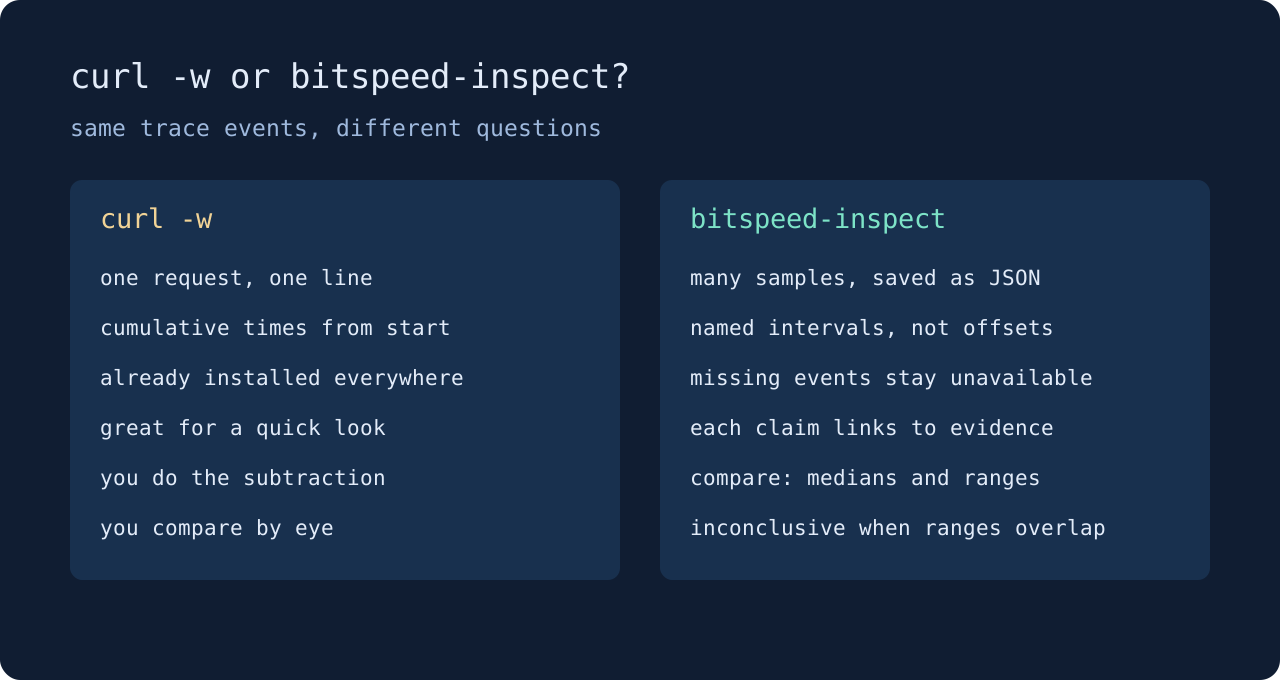
curl’s numbers are cumulative offsets from the start of the request. time_starttransfer isn’t the wait for the first byte, it’s everything up to the first byte, DNS and connect and TLS included. To get the wait itself you subtract. And when a step didn’t happen, say TLS on a plain HTTP URL, its field comes back as zero, which looks exactly like “that took no time”.
It’s also one request. A single sample on a real network wobbles by more than many of the changes you’re trying to measure. Run it ten times and you have ten lines to eyeball.
And it doesn’t compare. Before and after a change, you’re holding two sets of numbers in your head and deciding whether the difference is real.
What Inspect does instead
bitspeed-inspect record takes ten samples by default and saves them as JSON you can keep, share or diff later. explain turns each sample into named intervals: connection setup, first-byte wait, response read. It states which one dominated and links every number to the recorded event it came from. An event that never happened is marked unavailable, not zero.
compare is the part curl has no answer for. It lines up two recordings phase by phase, with medians and observed ranges, and calls a change inconclusive when the ranges overlap. In the Inspect case study, a 180 ms drop in first-byte wait passes that test, while a 97 percent jump in read time on tiny numbers doesn’t.
Which to reach for
Use curl for a quick look at one request, in a shell you’re already in, when you don’t need to keep the result.
Use Inspect when you’re about to change something and want to know afterwards whether it helped, or when you need to hand someone evidence instead of a screenshot of a terminal. It’s also the safer choice when you plan to share output, because it redacts query values in saved URLs.
Neither tool can tell you why a server was slow. Both see the request from the client side. Inspect just says so out loud. Get it from the download page and start with the quick start.